
Redeem an invite code
Got an invite code for Nanopixo? Redeem it in your account settings and the bonus videos land on your video balance. It takes under a minute.
Open your account settings
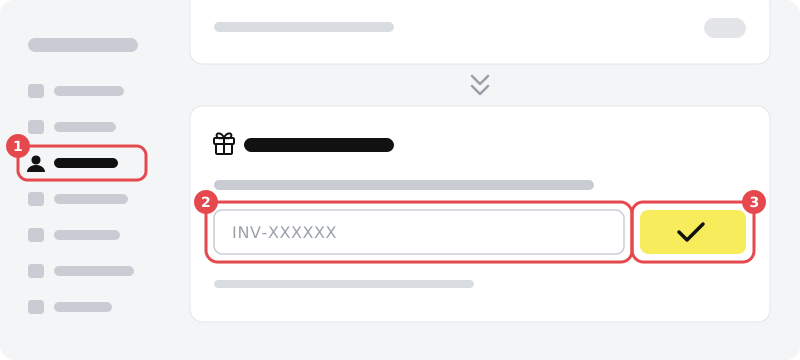
In Nanopixo, open Settings and click Account (1) in the menu on the left.
Open Account settings in Nanopixo ↗Scroll down to Invite Code
Scroll down past your notification settings and badges until you reach the Invite Code block.
Enter your code and click Redeem
Type or paste your code in the field (2), it looks like INV-XXXXXX. Click Redeem (3). The bonus videos are added to your video balance, shown at the top of the screen.
Got a code from another Nanopixo customer instead? It goes in the same field. Those bonus videos arrive with your first payment, and the code only works for new customers.
Troubleshooting
I do not see the code field.
You can redeem one invite code per account. If you already used one, the block shows which code it was instead of the field.
The code is not accepted.
Check that you typed it exactly as you received it, including INV-. A code that has already been used no longer works. Still stuck? Mail support@nanopixo.com.
Signing up for the first time?
You can also enter the code while creating your account, under Have an invite code?